Software

AmharicQuest

A course for learning Amharic, built around the Fidel script.
  • Role: Designer and Developer
  • Team: Solo project
  • When: Jan 2025 – 2026
  • Status: Live
TypeScriptFirebase
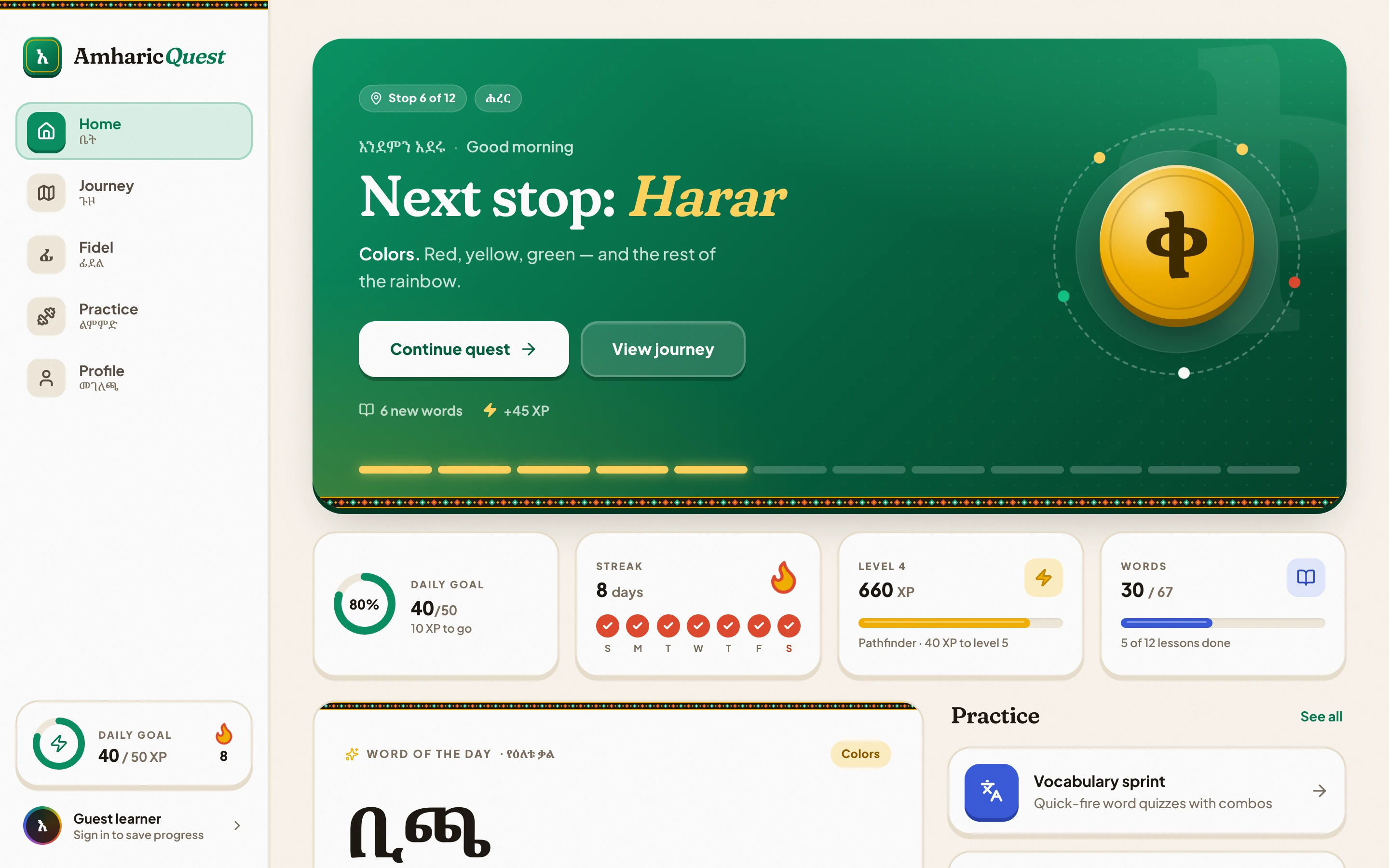
Enlarge image: The AmharicQuest home screen in light mode. A green banner reads “Next stop: Harar” with Continue quest and View journey buttons, above tiles for the daily goal, an 8-day streak, level 4, and 30 of 67 words.
Fig. 1 The home screen shows your next stop on the journey, your daily goal, and your streak.

Overview

AmharicQuest teaches Amharic starting with its script, the Fidel. You learn all 34 letter families in their seven vowel orders (238 characters, with romanization), then work through 12 lessons that teach 67 words. It has quizzes and a speed round for practice, and it tracks your streak, XP, and badges.

Design

A tour of the app

The course is a trip across Ethiopia. Each of the 12 stops is a city with a short lesson on one topic, like greetings in Addis Ababa or colors in Harar.
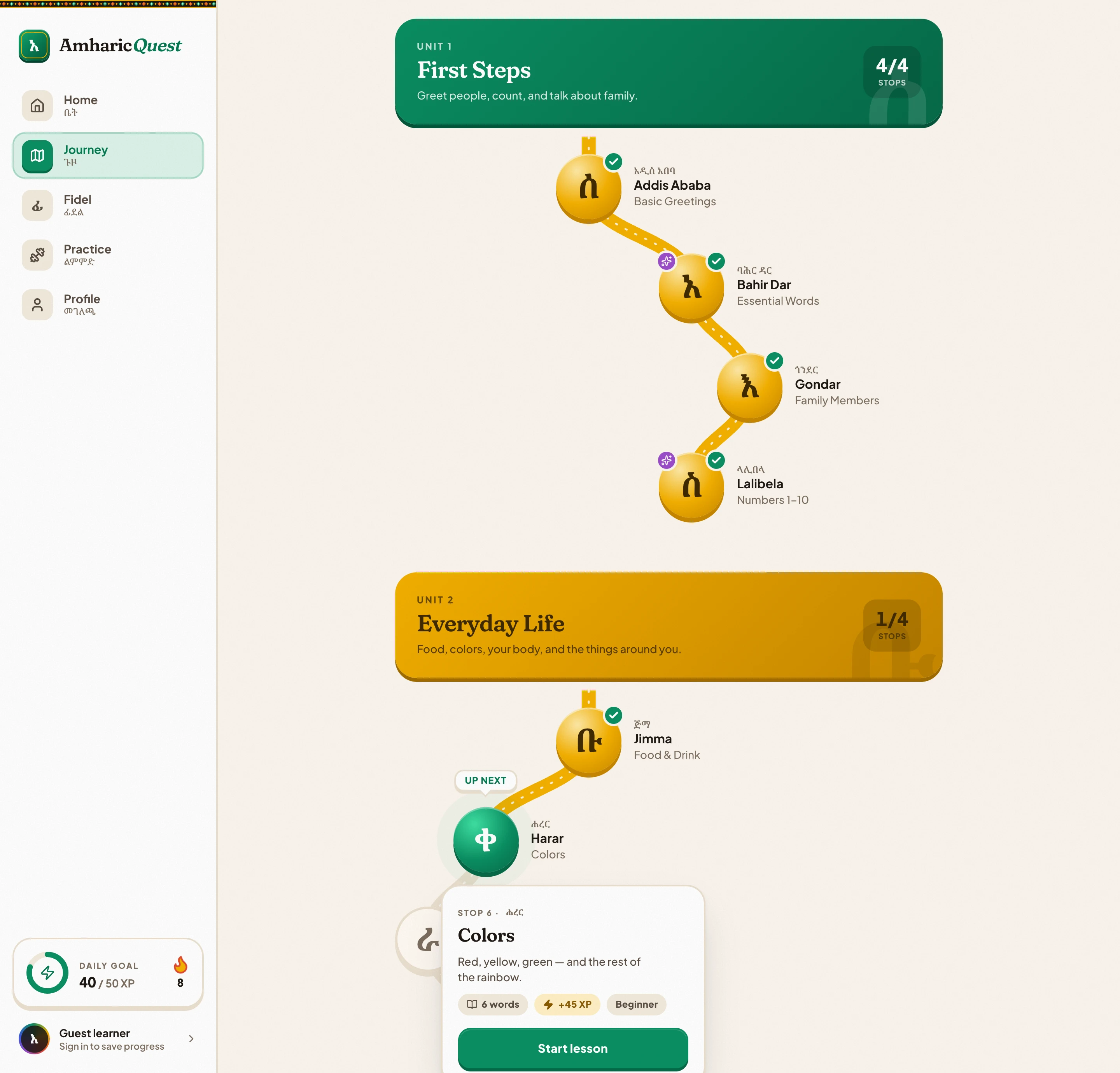
Enlarge image: The journey map in light mode. Unit 1, First Steps, is complete with four gold stops (Addis Ababa, Bahir Dar, Gondar, and Lalibela), and in Unit 2 the green Harar stop is marked Up next above a Start lesson card.
Fig. 2 The journey map. Finished stops turn gold, and the next one is marked Up next.
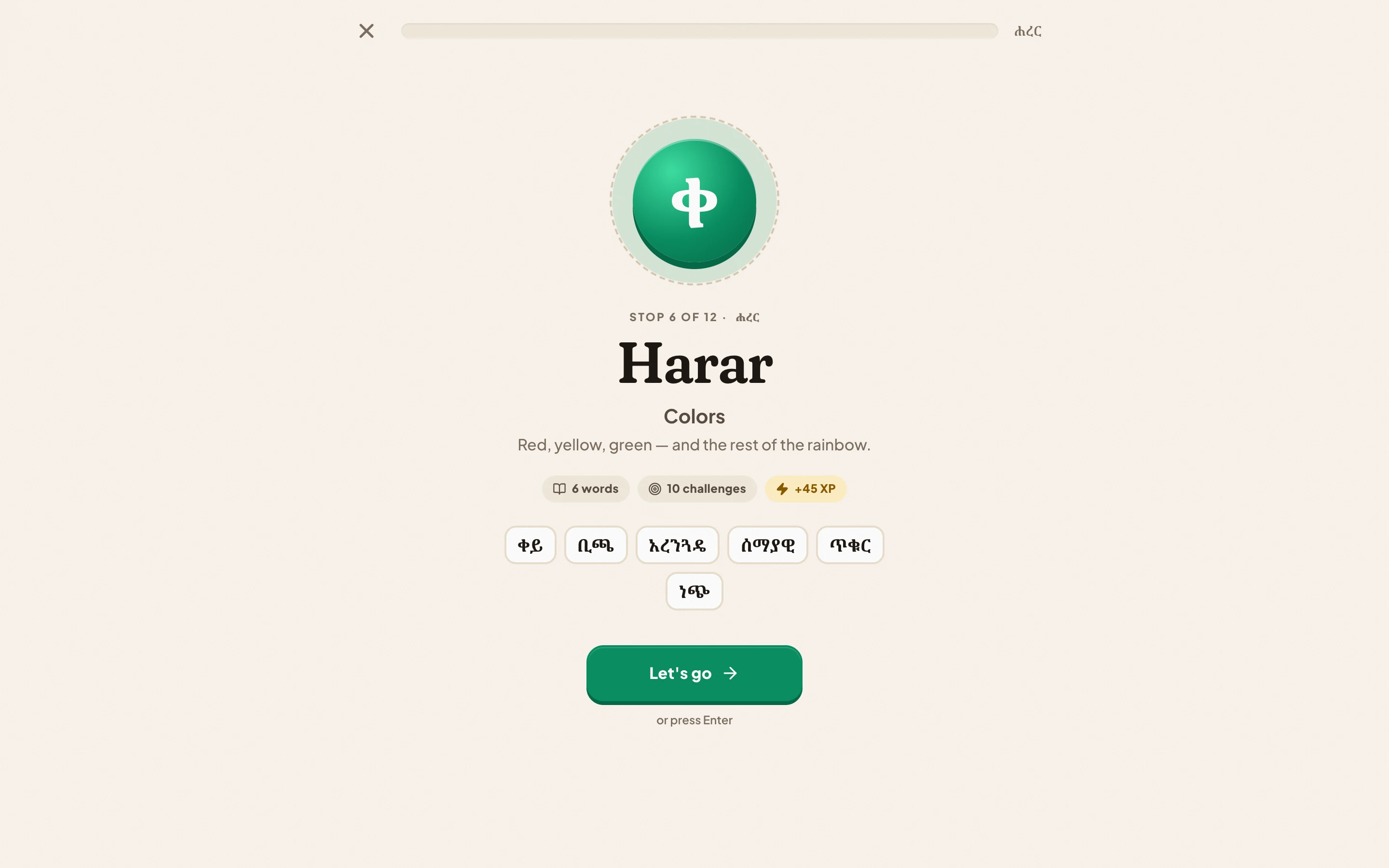
Enlarge image: The start screen for stop 6, Harar, on the topic Colors. It lists 6 words, 10 challenges, and +45 XP, shows the six color words in Amharic, and has a Let’s go button.
Fig. 3 Each lesson opens with the words you’re about to learn.

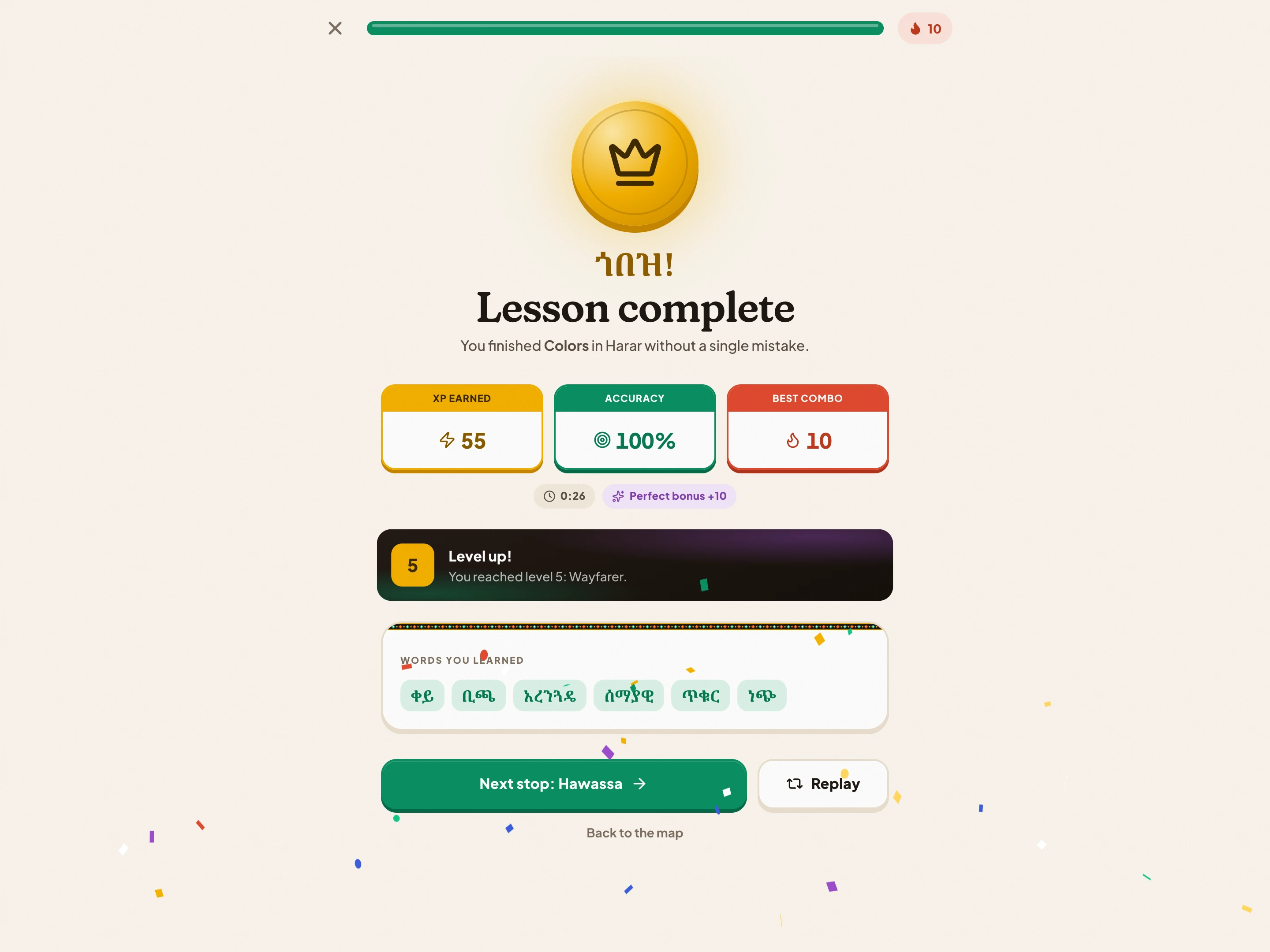
A lesson starts with flashcards for the new words and then quizzes you on them. At the end you see the XP you earned, your accuracy, and your best combo.
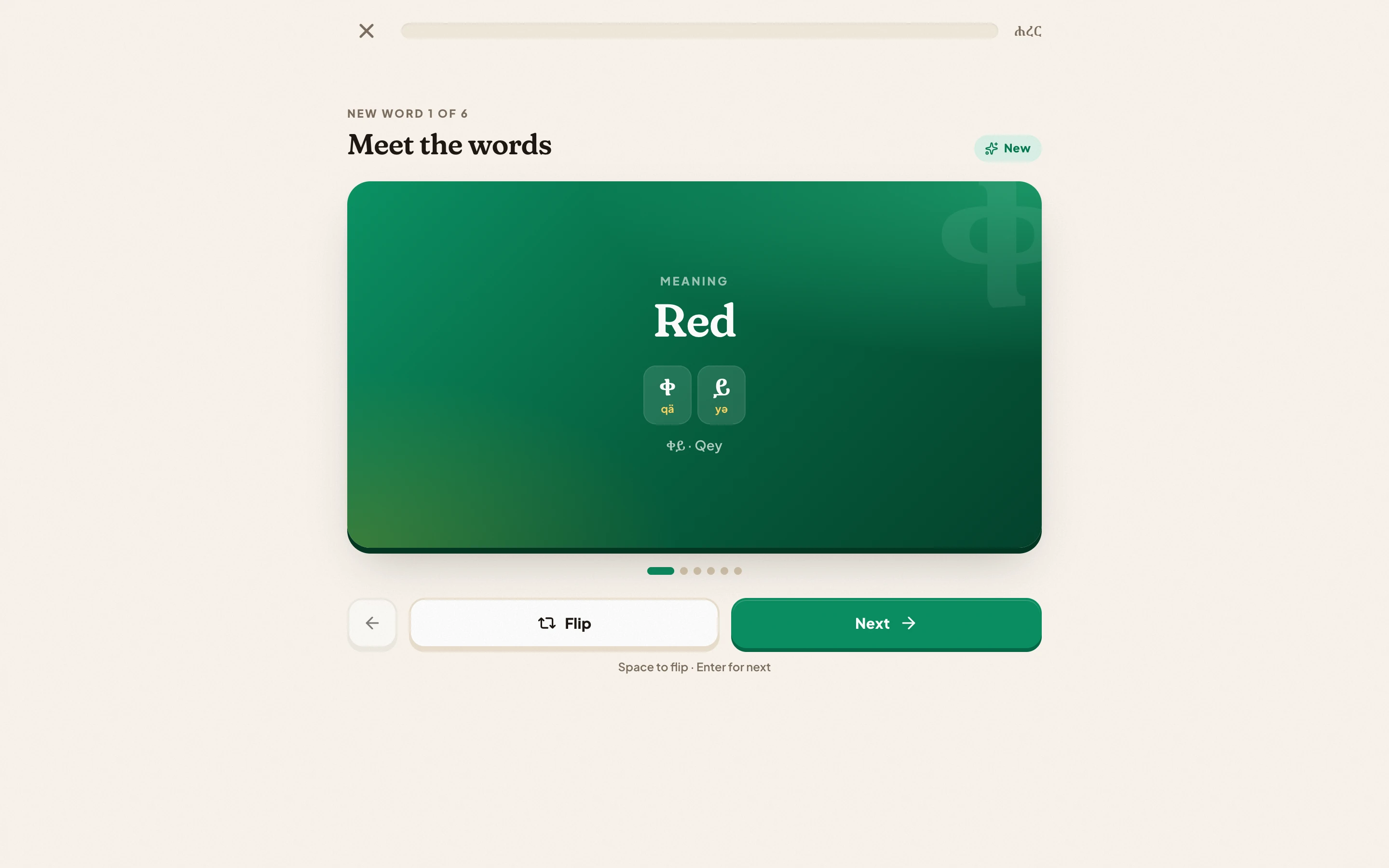
Enlarge image: A flashcard for new word 1 of 6. The green card shows the meaning, Red, with the Fidel letters ቀ and ይ that spell ቀይ (Qey), above Flip and Next buttons.
Fig. 4 Flashcards come first. Each one breaks the word into its Fidel letters.
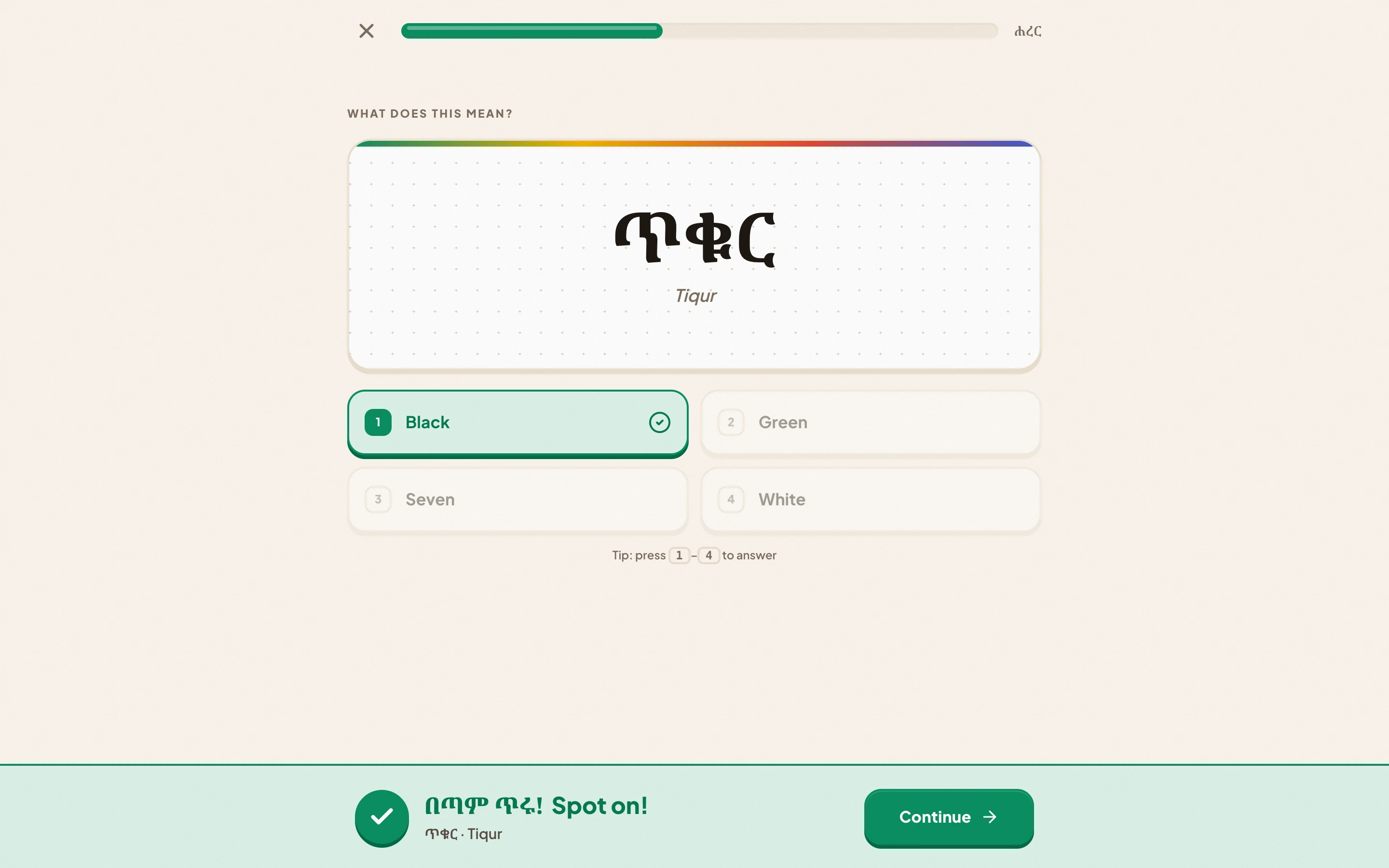
Enlarge image: A quiz question asking what ጥቁር (Tiqur) means. Black is selected and marked correct, and a green bar along the bottom says “Spot on!”
Fig. 5 Quiz questions go both ways, from Amharic to English and back.
Enlarge image: The Lesson complete screen with a gold crown, 55 XP earned, 100% accuracy, a best combo of 10, a notice for reaching level 5, and the six words learned.
Fig. 6 The results screen after a lesson with no mistakes.

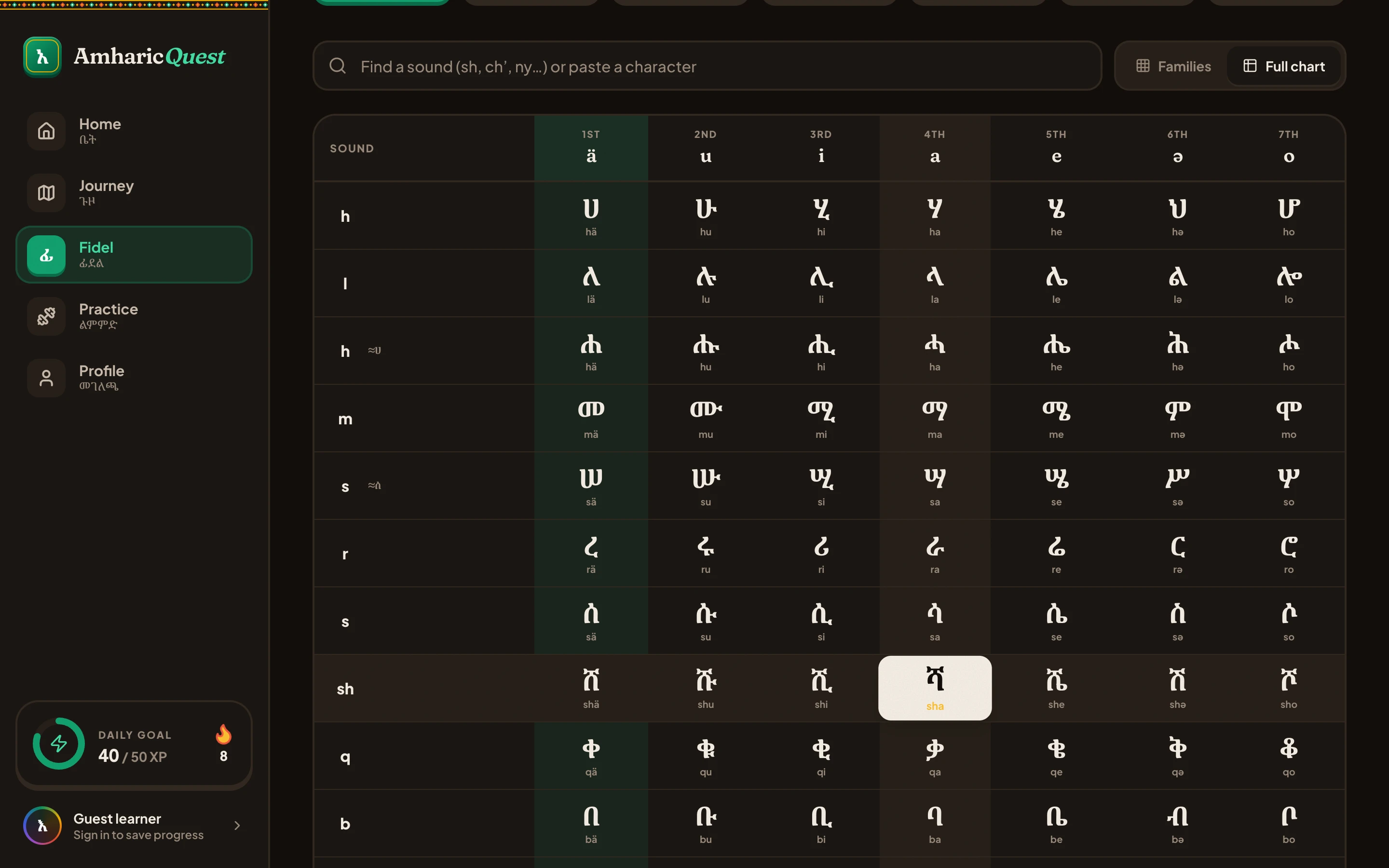
The Fidel section teaches the script itself. Every character is a consonant plus a vowel, so once you know the 34 base shapes and the seven ways each one changes, you can read all 238 characters. You can study one letter family at a time or search the full chart.
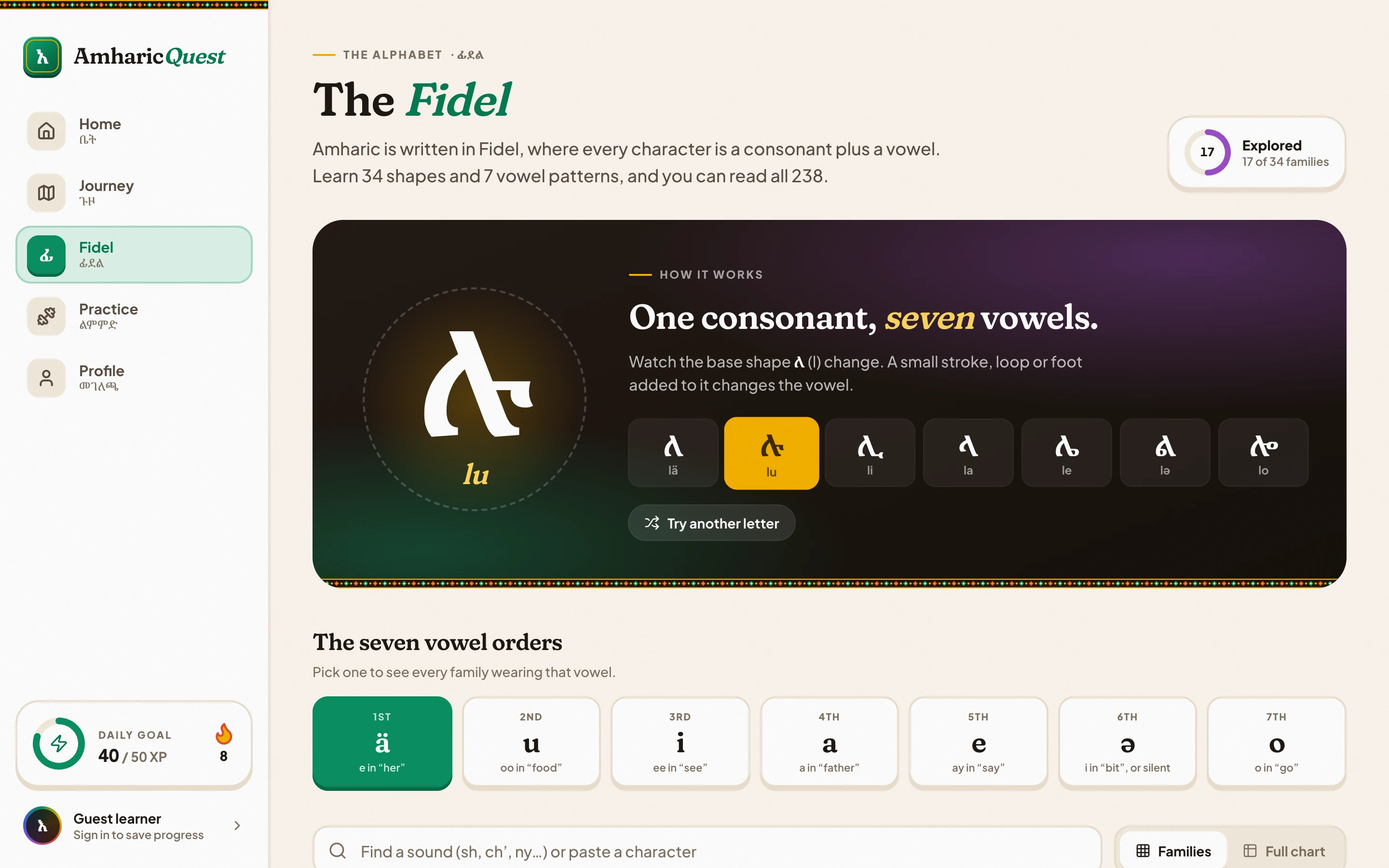
Enlarge image: The Fidel page. A dark panel titled “One consonant, seven vowels” shows the letter ለ in each of its seven forms, above cards for the seven vowel orders.
Fig. 7 The Fidel page shows how one consonant changes shape for each vowel.
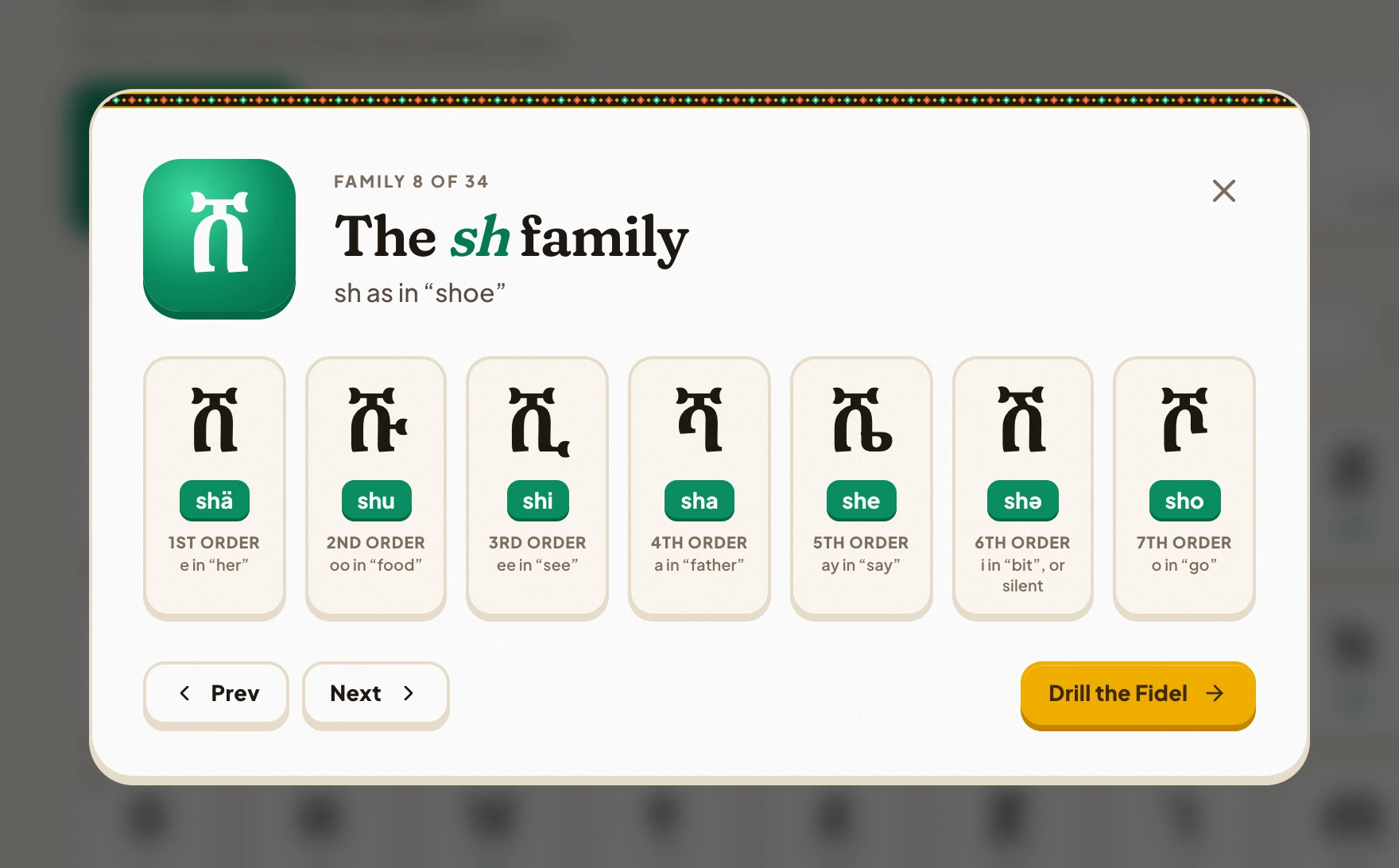
Enlarge image: The sh family card, showing ሸ in all seven vowel orders (shä, shu, shi, sha, she, shə, and sho) with an example sound for each, and a Drill the Fidel button.
Fig. 8 Opening a family shows all seven forms with a sound for each one.
Enlarge image: The full Fidel chart in dark mode, a grid with a row for each consonant sound and a column for each of the seven vowels, with the romanization under every character.
Fig. 9 The full chart. You can search it by sound or paste in a character.

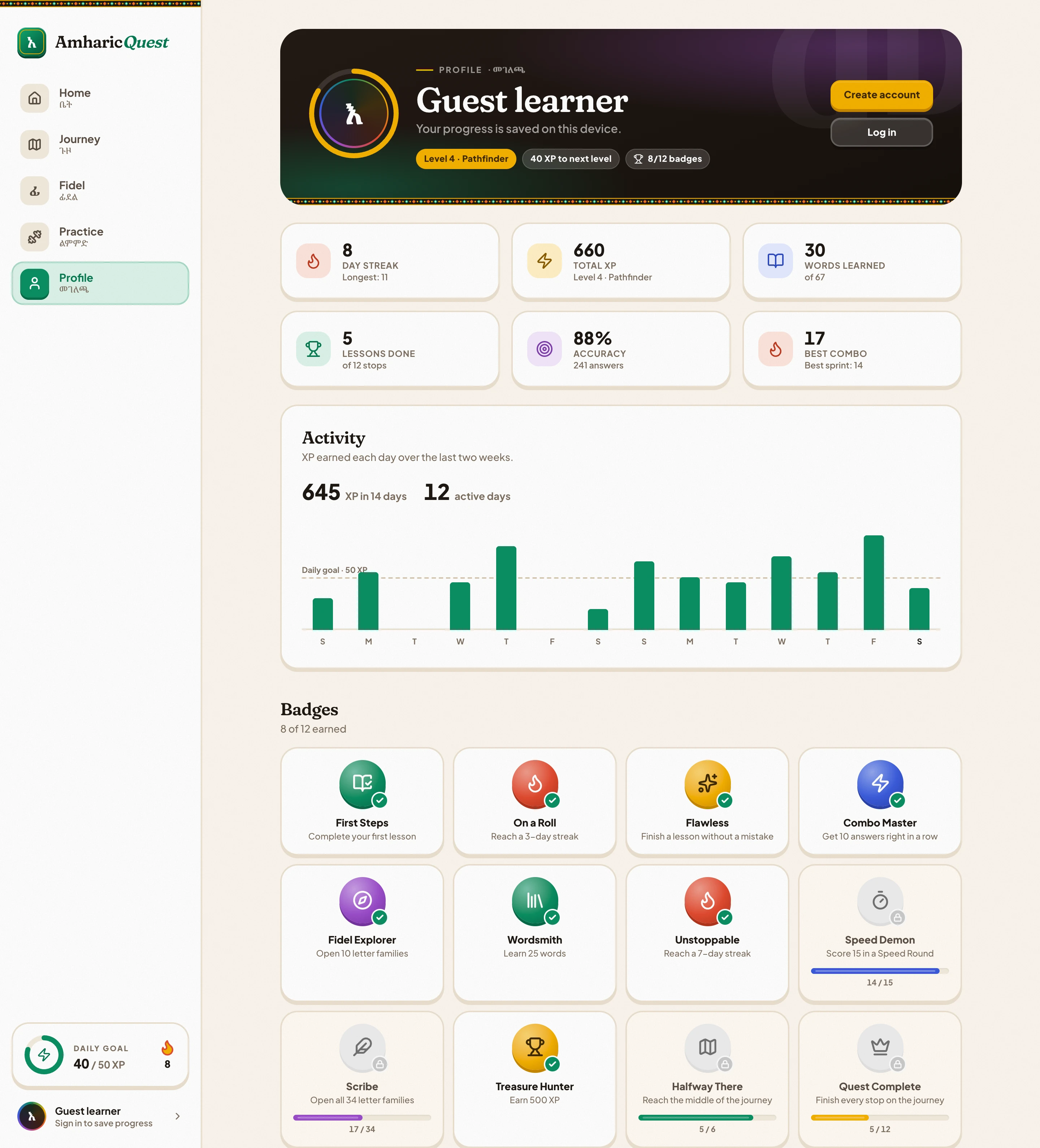
Practice has four modes, from matching meanings to a 60-second speed round that mixes everything. Your profile tracks your streak, XP, level, and badges, along with a chart of the last two weeks.
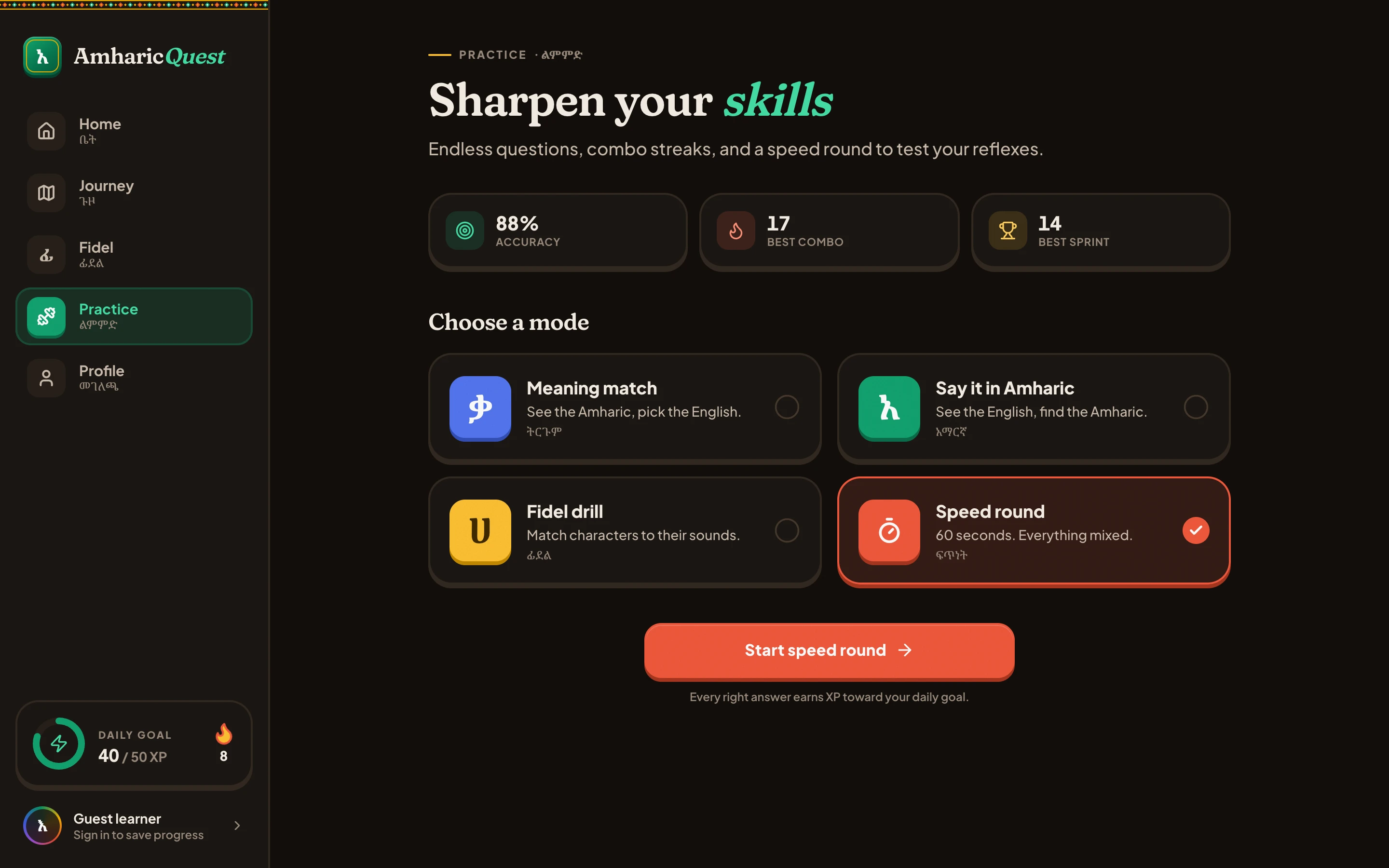
Enlarge image: The Practice page in dark mode. Stats for accuracy, best combo, and best sprint sit above four modes (Meaning match, Say it in Amharic, Fidel drill, and Speed round), with Speed round selected.
Fig. 10 The four practice modes.
Enlarge image: The profile page for a guest learner at level 4, with cards for an 8-day streak, 660 XP, 30 words, 5 lessons, 88% accuracy, and a best combo of 17, then a two-week activity chart and a grid of badges.
Fig. 11 The profile, with stats, recent activity, and badges.

You can use AmharicQuest as a guest, which saves your progress on your device, or sign up for an account. It also has a dark theme.
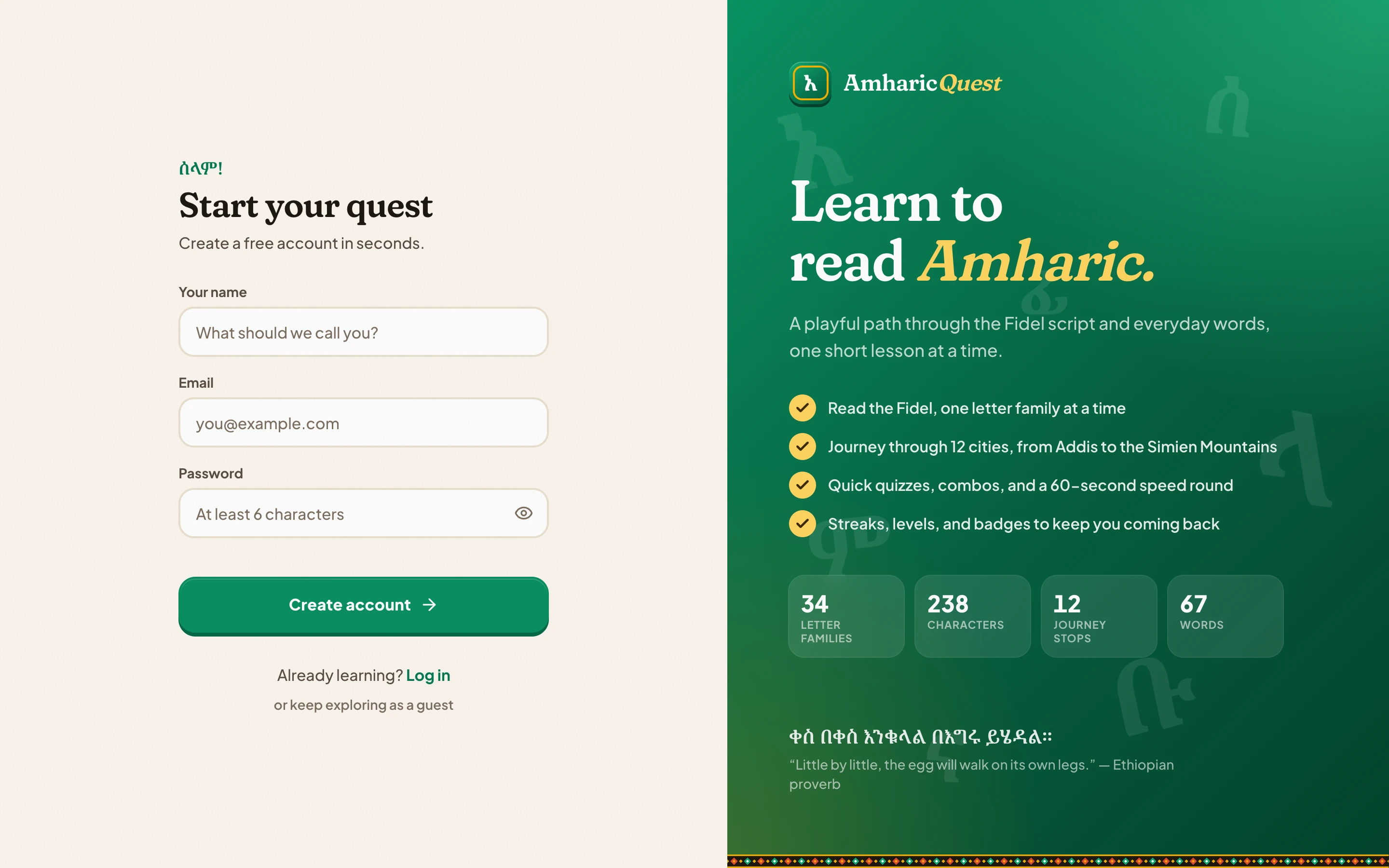
Enlarge image: The sign-up page. A form for name, email, and password sits beside a green panel that reads “Learn to read Amharic,” with a list of features and counts of 34 letter families, 238 characters, 12 journey stops, and 67 words.
Fig. 12 The sign-up page. You can also keep going as a guest.
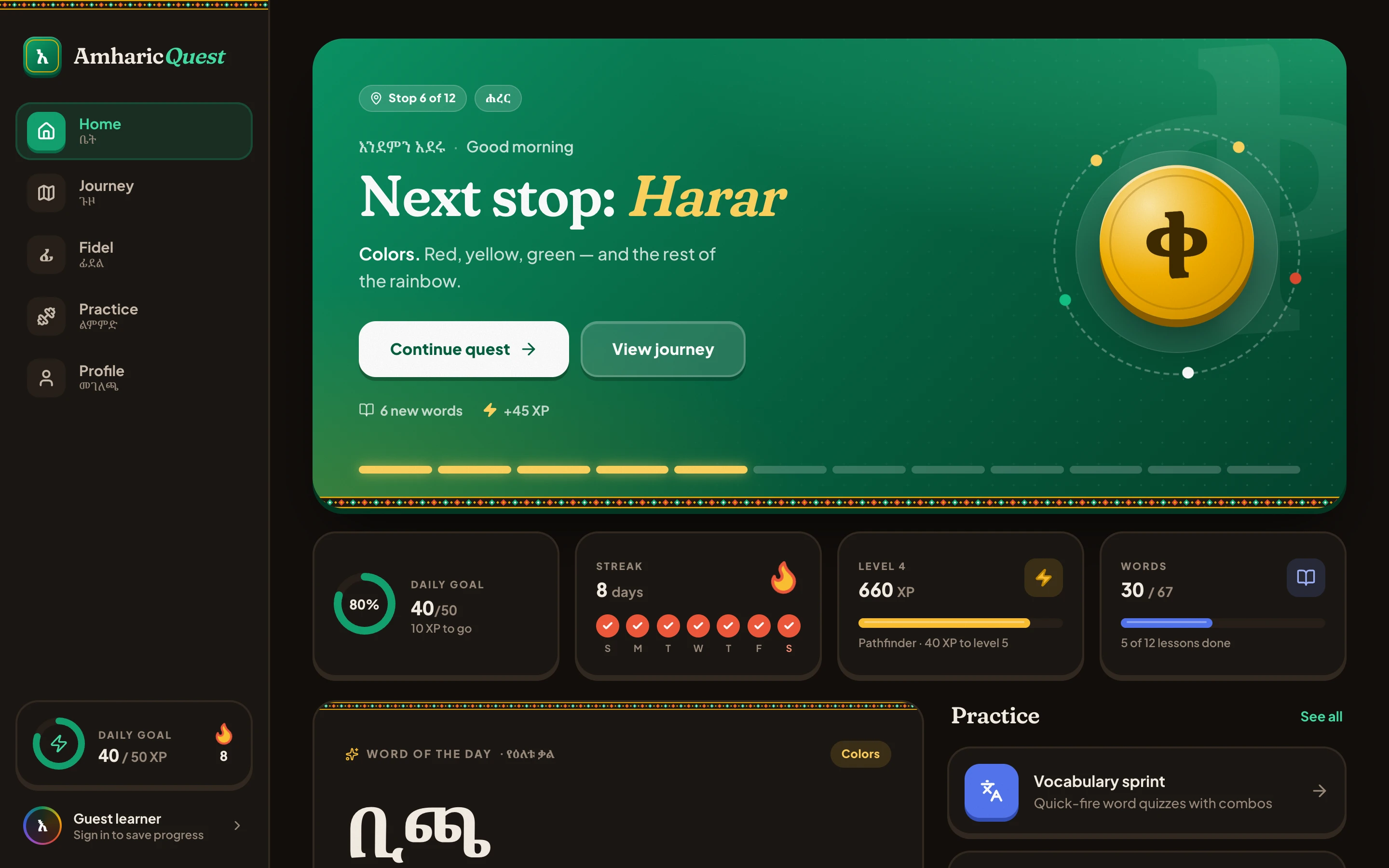
Enlarge image: The home screen in dark mode, with the same green “Next stop: Harar” banner and stat tiles on a near-black background.
Fig. 13 The home screen in dark mode.
Resources

Links & Source